


 SkilzHub Certification
 Adobe Certification
 Google Certification
 Meta Certification
 Semrush Certification
 Hubspot Academy Certification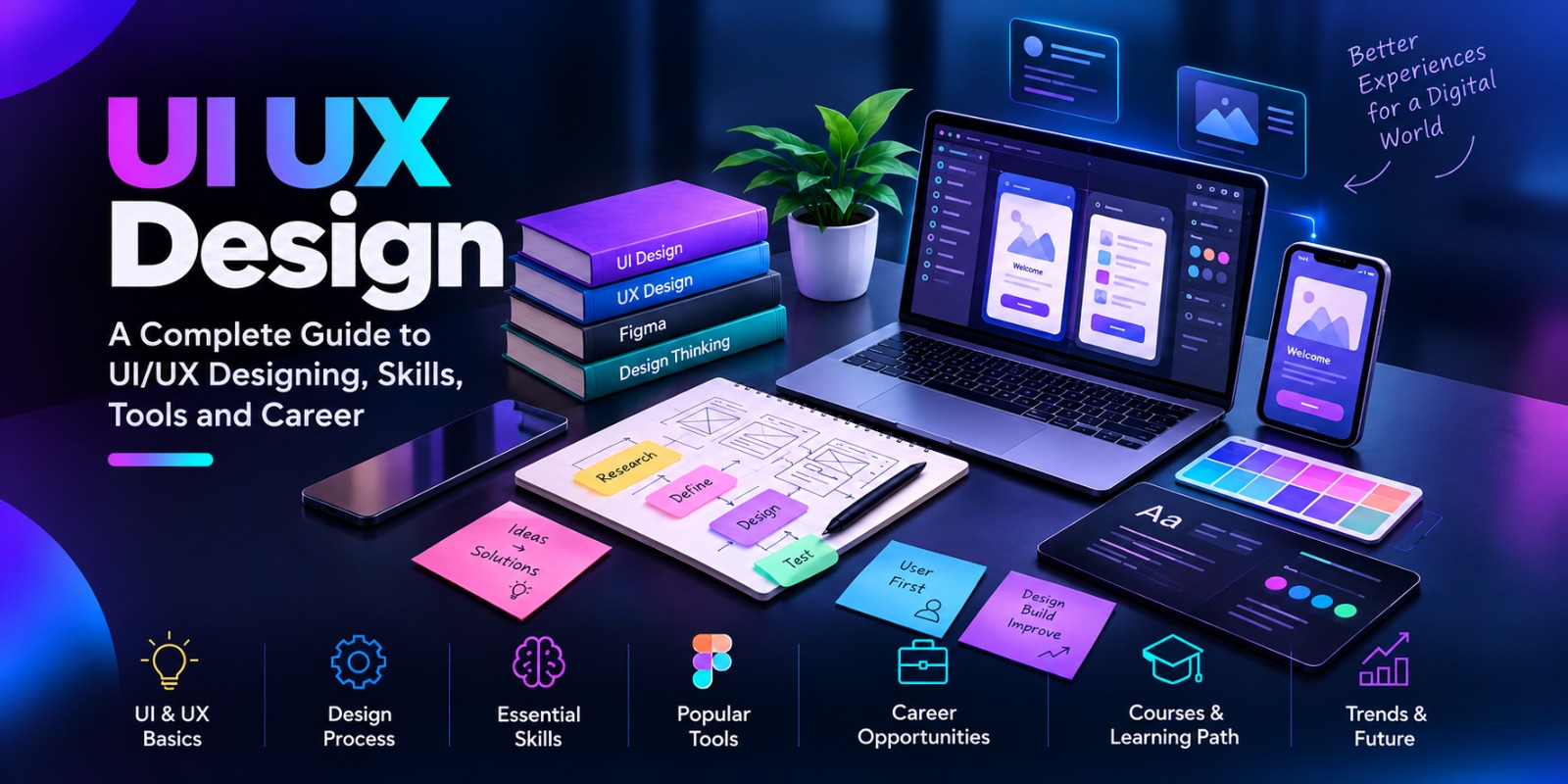
UI/UX Design: A Complete Guide to UI/UX Designing, Skills, Tools and Career
Have you ever opened a website or a mobile app. Immediately knew what to do?. Left a website because it was confusing, slow or hard to use?
That experience is directly connected to UI/UX design.
In today’s world where everything's digital companies need more than just a website or a mobile app. They need products that are attractive easy to use and built with the needs of users in mind. That is why UI and UX Design has become a part of modern product creation.
For students people who have just graduated designers and anyone looking to build a career in the world learning UI/UX Designing can open up many opportunities in web design, mobile app design, product design and more.
What is UI/UX Design?
UI/UX Design brings together two parts of digital product design: user interface design and user experience design.
UI design, or user interface design, is about the look and the interactive parts of a digital product. It includes colors, fonts, buttons, icons, layouts, images and other visual parts.
UX design, or user experience design, is about the overall experience people have when they use a website, an app or any digital product. It involves understanding what users need finding problems creating user journeys and making digital experiences easier and more enjoyable.
In words:
UI - How the product looks and works
UX - How the product works.
Both work together to make digital experiences better.
Why is UI/UX Design Important?
A website that looks nice is not always a website.
If users can't find information don't understand how to navigate can't fill out a form or can't make a purchase easily they might leave the website.
This is when user experience design becomes important.
Good UI/UX design helps businesses:
Make websites easier to use
Improve navigation
Increase user involvement
Improve the experience for customers
Make the brand look more consistent
Reduce user frustration
Make digital products easier to use
Help customers have experiences
For companies good design is not only about looking good. It is also about solving problems for users.
UI Design vs UX Design
Even though UI and UX are connected their focus is different.
UI Design
UI designers focus on the interactive parts of a product.
Their tasks may include:
Choosing colors
Selecting fonts
Designing layouts
Creating buttons
Designing icons
Building design systems
Creating hierarchy
Making interfaces that work on devices
Designing interactive parts
UX Design
UX designers focus more on what users need and how they move through a product.
Their work may include:
Doing research on users
Creating user profiles
Mapping out user journeys
Organizing information
Planning user steps
Making wireframes
Building prototypes
Testing for usability
Finding problems
A UI/UX designer often needs to know both areas to make a digital experience.
The UI/UX Design Process
A proper design process helps designers understand the problem before making the product.
1. Research
The process starts by learning about the users, what they want how they act what they expect and what problems they face.
2. Define
The findings from the research are looked at to find the problems the product must solve.
3. User Flow
Designers plan how users will move through the website or app to complete tasks.
4. Wireframing
Wireframes give a structure of the website or app before adding detailed visuals.
5. Prototyping
Interactive prototypes help show how different screens and features will work together.
6. UI Design
The visual parts of the interface are made using fonts, colors, spacing, components, images and other design elements.
7. Testing
The design is tested with users to find problems and improve the experience.
This process helps make a product that meets user needs not just guesses.
Essential UI/UX Design Skills
To be a UI/UX designer, you need a mix of creative, thinking and technical skills.
Some important skills are:
Researching users
Doing UX research
Designing UI
Creating interactions
Making wireframes
Building prototypes
Organizing information
Designing visuals
Making designs for devices
Testing for usability
Using design thinking
Choosing fonts
Understanding colors
Solving problems
Communicating well
Along with these skills having experience is very important. Working on projects helps new designers understand how the process works.
Popular UI/UX Design Tools
Designers use tools for research making wireframes, designing UI, building prototypes and working with others.
Figma
Figma is a tool for making interfaces, wireframes, prototypes and design systems.
Learning Figma for UI/UX design can be very helpful for beginners because it lets them practice both UI and UX steps.
Adobe Creative Tools
Adobe tools are useful for design editing images and other creative work.
Miro
Miro is used for brainstorming, mapping user journeys, research and group work.
The tools change over time. Understanding the basic design ideas is more important than relying on a specific tool.
How to Become a UI/UX Designer
If you are wondering how to become a UI/UX designer, you can start by learning in a way.
Learn the Basics
Understand UI design, UX design, user-centered design how to arrange elements, fonts, colors and basic design ideas.
Learn Design Tools
Start with tools like Figma. Learn how to make wireframes, interfaces and prototypes.
Study Real Websites and Apps
Look at websites and apps. Watch how they are structured how they use menus, how they show content and how people move through them.
Build Real Projects
Create sample projects like:
An online shop
A food delivery app
An education site
A banking app
A travel website
A personal portfolio
Create a UI/UX Portfolio
A portfolio is one of the important things for a new UI/UX designer.
Show not the final design but explain:
Problem → Research → User Flow → Wireframe → Prototype → Final UI → Testing
This helps employers see your thinking and how you solve problems.
UI/UX Design Career Opportunities
The rise of websites, mobile apps, online stores, software and digital services has made need for people who understand user experience and interface design.
Once you have the skills you can look for jobs like:
UI Designer
UX Designer
UI/UX Designer
Product Designer
Interaction Designer
UX Researcher
Visual Designer
The roles and tasks can be different in different companies.
Who Can Learn UI/UX Design?
You don’t have to be a designer to start learning UI/UX design.
A UI/UX course can help:
Students
Graduates
Graphic designers
Web designers
Digital marketers
Freelancers
Entrepreneurs
People changing careers
For students and beginners interested in building broader digital skills, exploring a Digital Marketing Course in Kottakkal can also introduce them to areas such as SEO, social media marketing, content marketing, and online advertising.
People from different backgrounds can learn UI/UX design by building the right skills.
UI/UX Design Course for Beginners
For someone who is starting from zero, a structured UI/UX Design Course can give a path to follow.
A good training program should cover:
UI/UX basics
User research
Design thinking
Information architecture
Wireframing
Prototyping
UI design
Figma
design
Usability testing
Practical projects
Building a portfolio
Hands-on tasks and project-based learning can help students move from theory to work.
If you are exploring digital career courses in different locations, you can also learn more about a Digital Marketing Course in Malappuram or a Digital Marketing Course in Perinthalmanna.
UI/UX Design Trends
The digital design world keeps changing with tech user wants and design ideas.
Designers should keep learning about:
Design that works on all devices
Making sure everyone can use it
Design systems
Small animations
Starting with mobile
Voice-based interfaces
Using intelligence
Making experiences personal
of following every trend designers should focus on creating experiences that are useful easy to use and clear.
Is UI/UX Design a Good Career?
UI/UX design can be a choice for people who like a mix of creativity, technology, research and solving problems.
It gives the chance to work on kinds of digital products from websites and apps to software and online shops.
Becoming a good designer takes regular practice. Just knowing the tools is not enough. Understanding users, design rules and problem-solving is also important.
Start Learning UI/UX Design
UI/UX design is more than making a website or app look good. It is about knowing users finding problems and creating experiences that are simple, useful and fun.
Whether you are a student, a graduate, a designer or someone looking to change careers learning UI/UX designing can help you gain important digital skills.
Start with the basics learn tools like Figma practice with projects and build a strong UI/UX design portfolio. With learning and practice you can get the skills you need to explore jobs, in UI/UX and digital product design.


Comments (0)
Please login to leave a comment.
No comments yet. Be the first to comment!